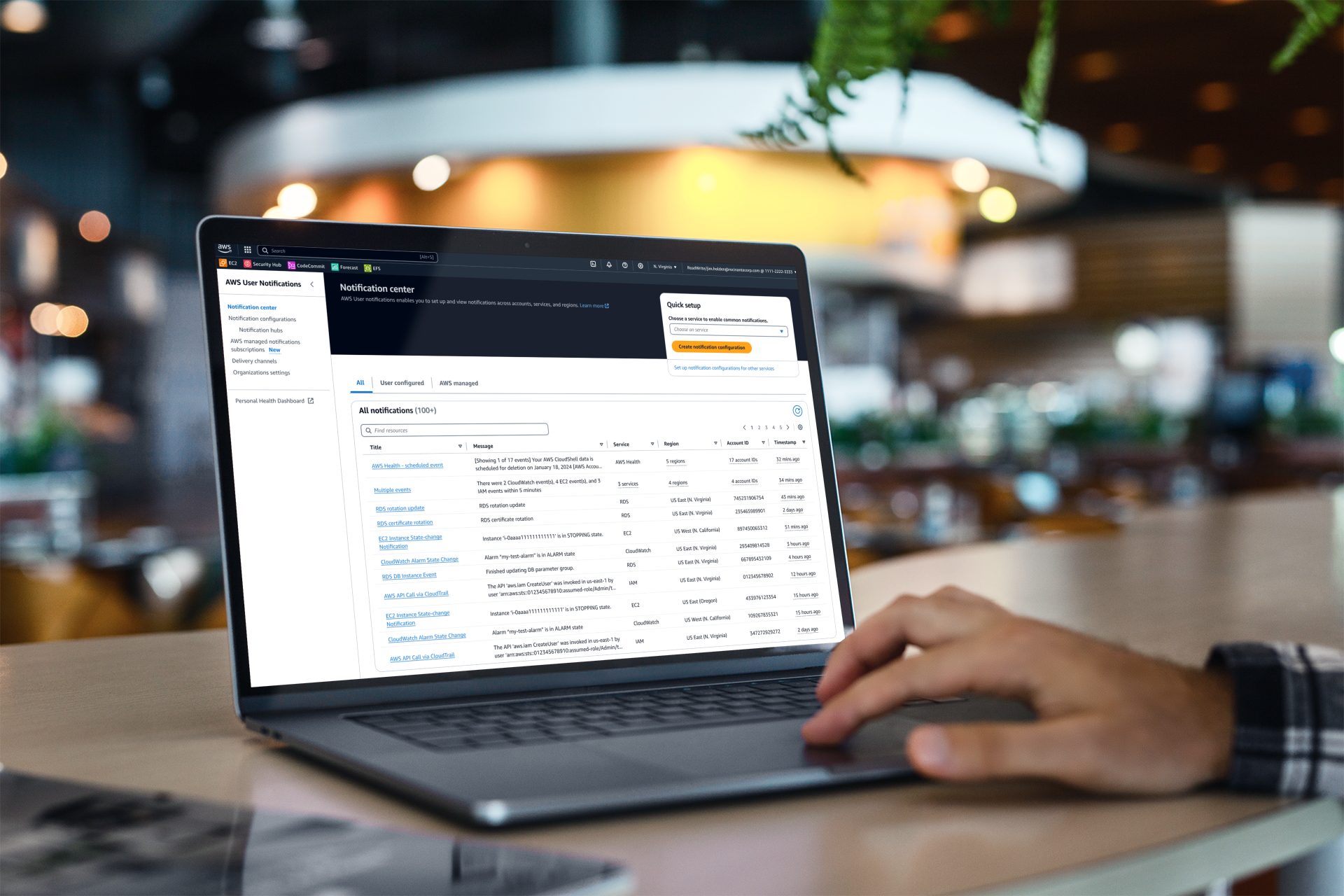
Overview
For years, AWS customers struggled to track critical updates across their cloud environments. Without a unified notification system, users were bombarded with thousands of emails, often missing essential alerts hidden in the noise. At the same time, individual AWS services created their own notification solutions, resulting in a fragmented and inconsistent experience.
To address this, AWS User Notifications was built as a centralized hub, empowering users to manage notifications seamlessly across services, accounts, and regions while significantly reducing unnecessary messages.
My Role
I took over as UX lead in August 2022, tasked with creating an intuitive and scalable notification system that centralizes AWS messages, giving users full control over what, when, and how they receive updates. This work expanded to include additional features after launch. My role spanned the full UX process, from research and conceptualization to design execution, product launch, and ongoing feature development.
Creating a Global AWS Experience
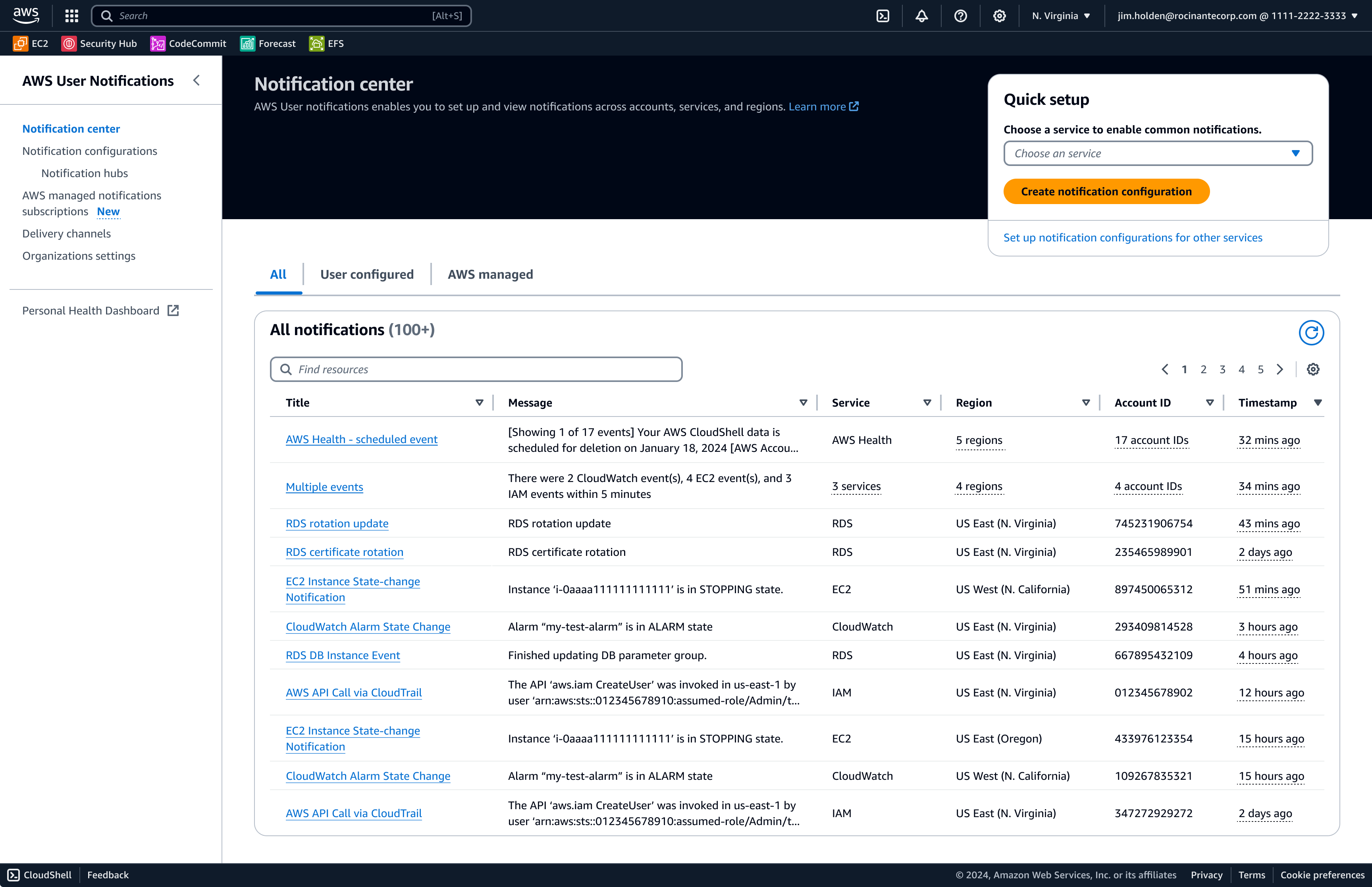
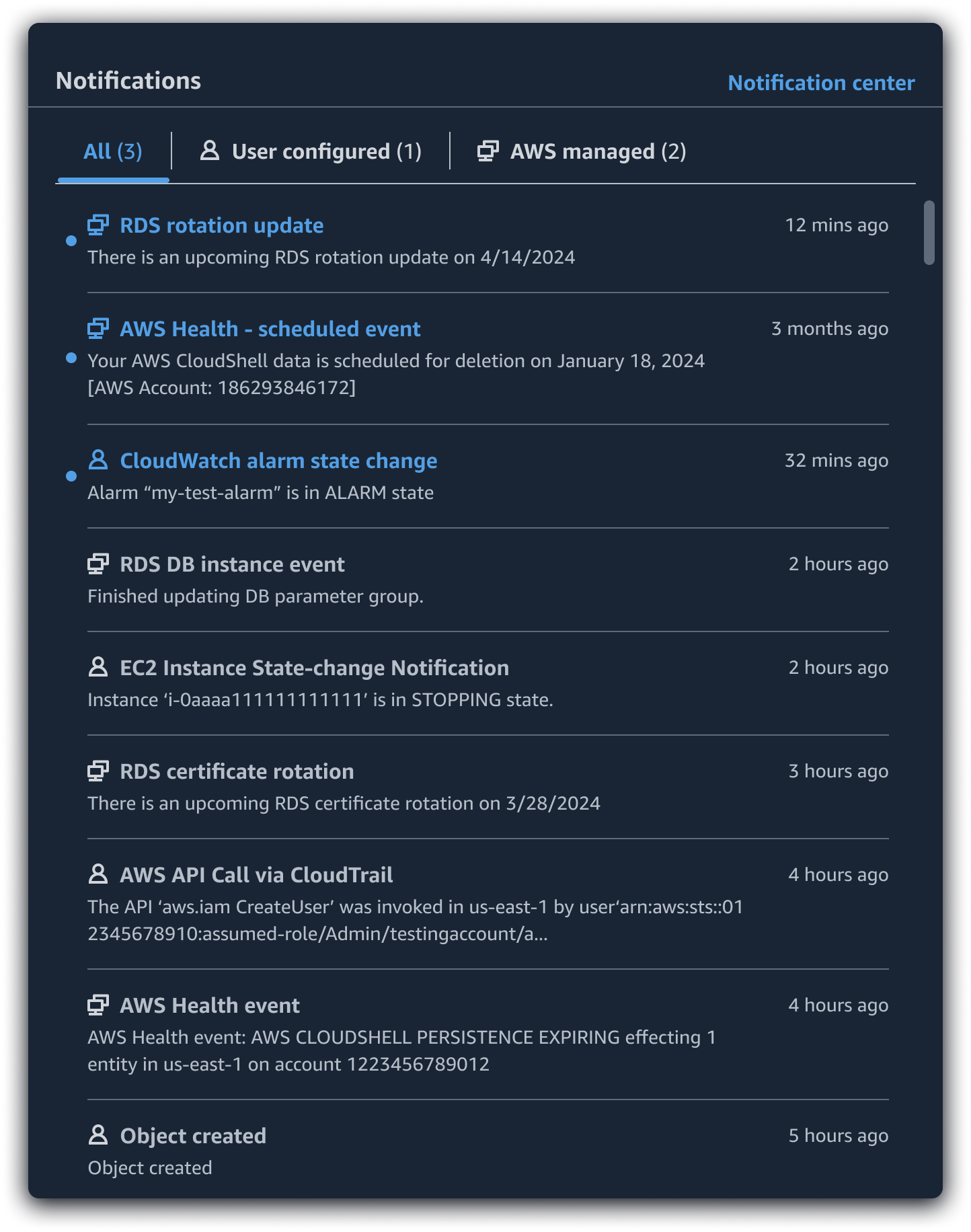
The primary objective of AWS User Notifications was to provide a single location where users could consume and configure notifications within an ecosystem of hundreds of services. This was achieved through the creation of a notification center and a notifications widget integrated into the global navigation of AWS.
Providing Relevant and Consistent Notifications
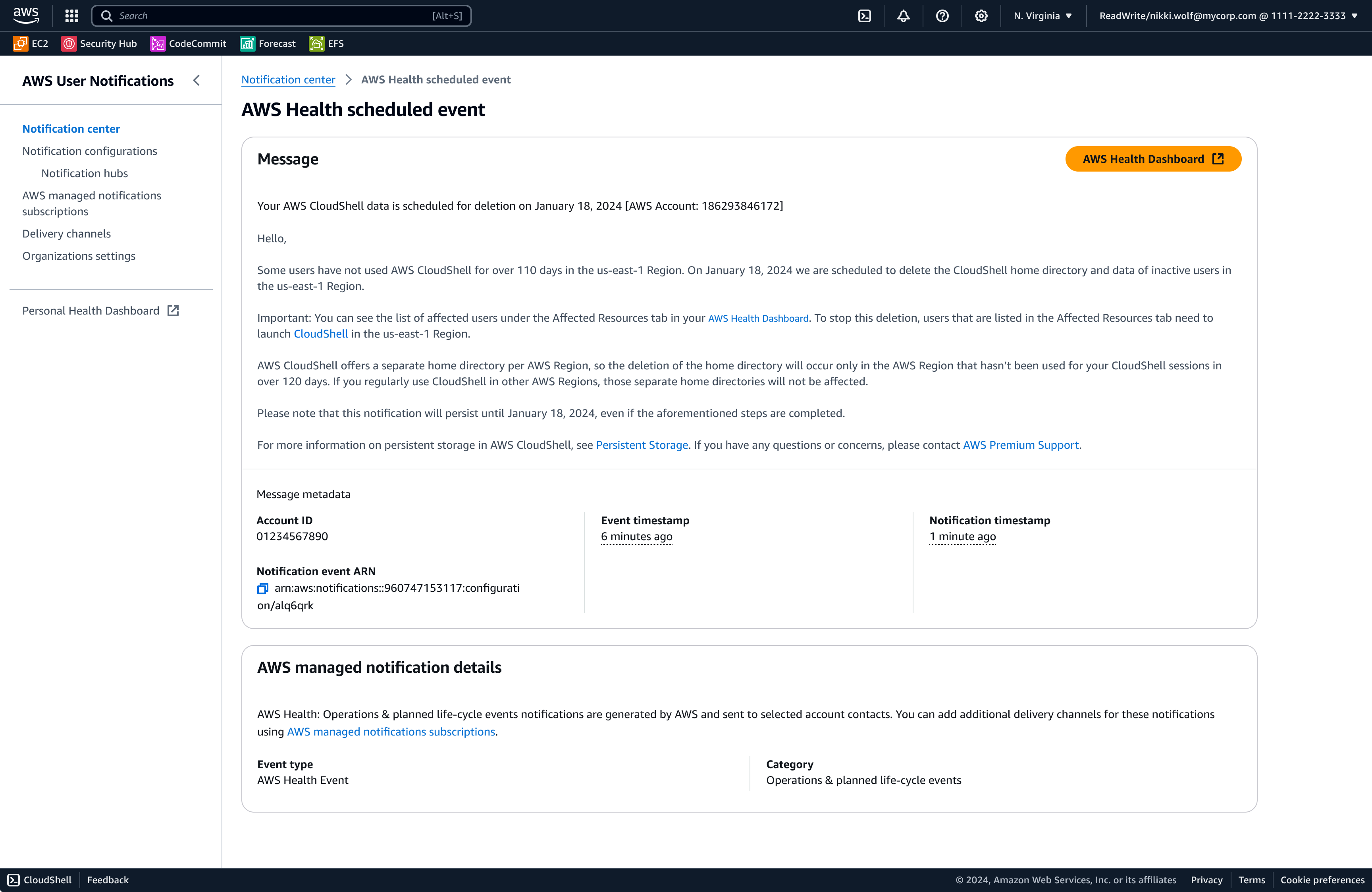
Before AWS User Notifications, customers received notifications in many different formats, with different delivery mechanisms. Notifications were frequently sent in formats that were not human-readable and customers had no control over where they were sent. To better serve customer needs, AWS User Notifications developed notification configurations: collections of rules in which customers select the services, event types, and regions they want to be notified about.
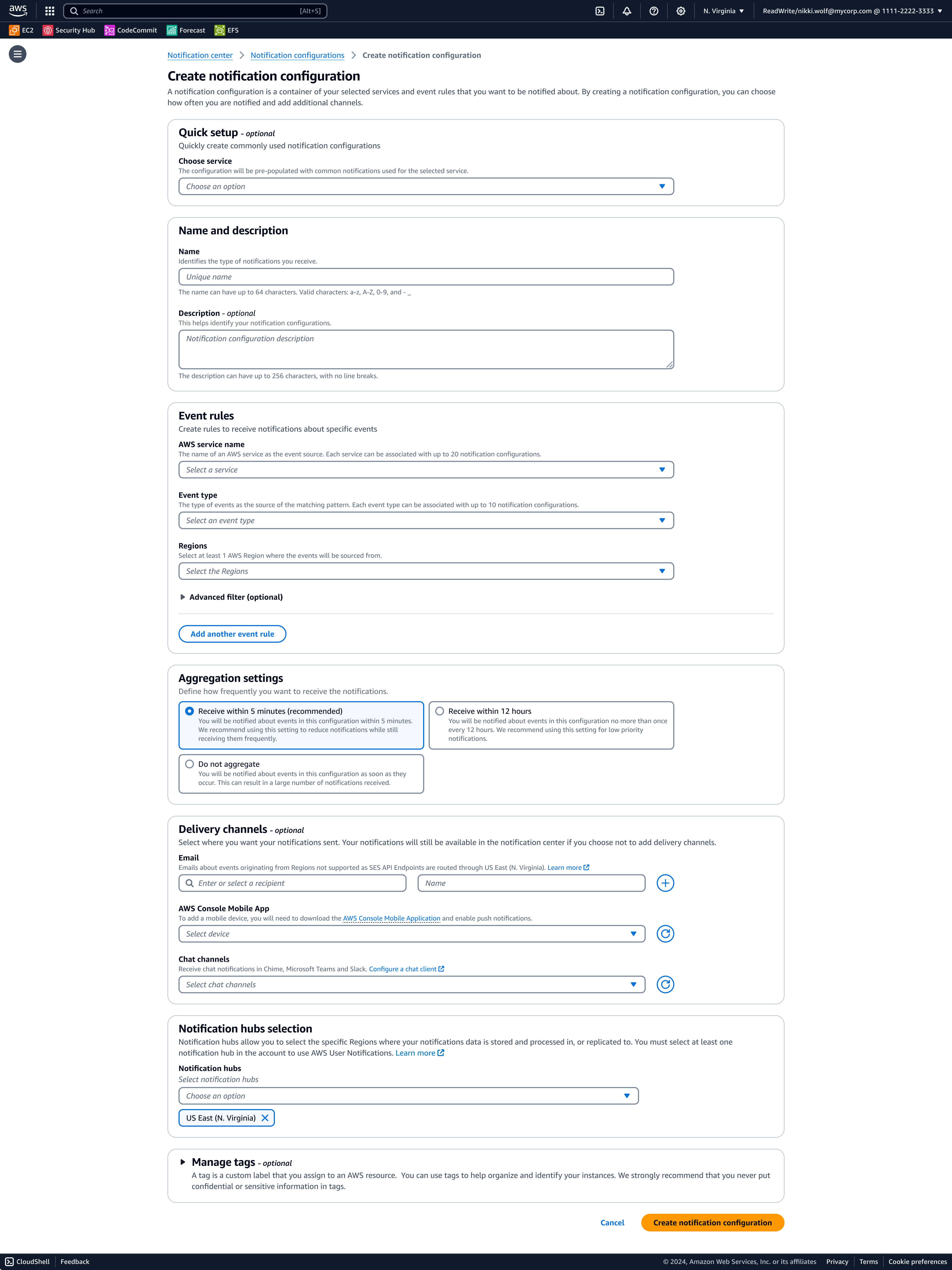
Notification templates were also created to establish consistent formatting, ensuring that all notifications use human-readable language and clear calls to action.
Cutting Through the Noise
User research informed all aspects of the project. Partnering with the research team, I uncovered insights into the issues customers faced with their notification experiences. The most common feedback was that users received far too many notifications, making it difficult to find valuable information. Customers often had to sift through thousands of emails, leading to important alerts being missed.
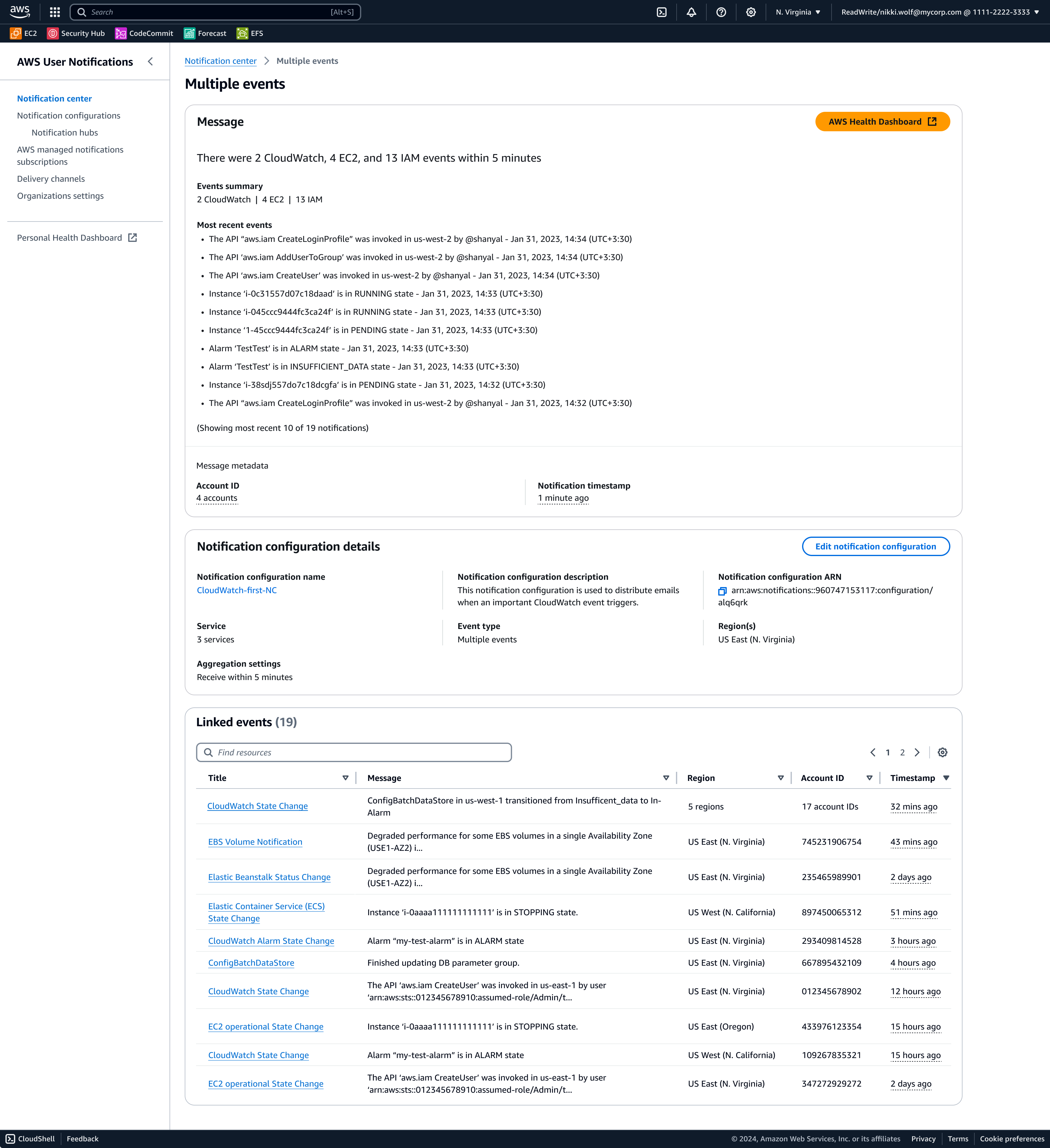
To address this, I designed two new capabilities: notification aggregation and notification consolidation. Notification configurations contain aggregation settings, allowing users to group events over time from a single configuration rule set. Users can choose to receive notifications as soon as an event takes place, or receive a single notification detailing all of the events that took place within 5 minutes or 12 hours from the time the first event occurred.
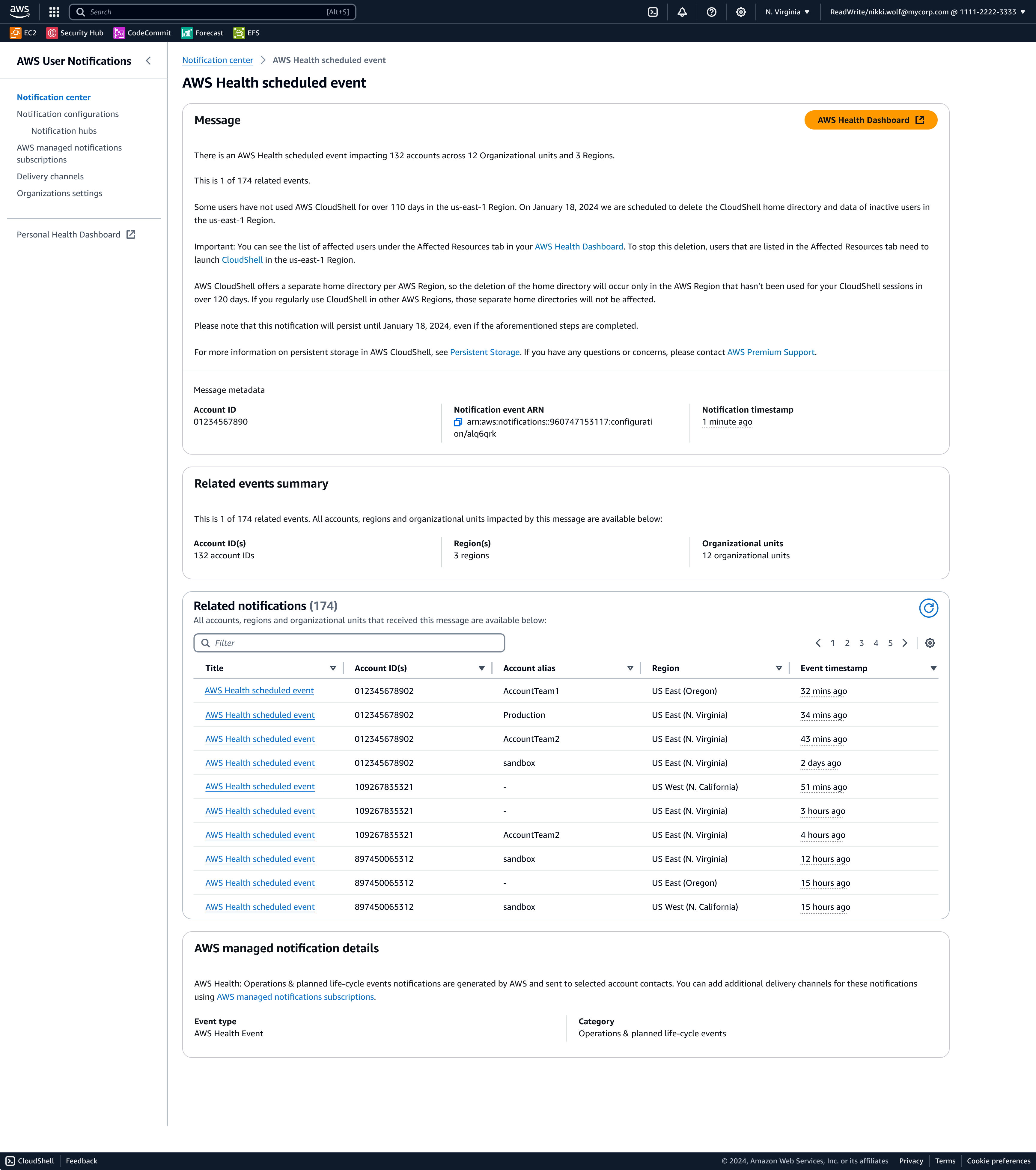
AWS customers often manage hundreds or even thousands of accounts, receiving an email for each impacted account. For example, a single event affecting 500 accounts previously produced 500 separate emails, leading to notification overload. To solve this, I designed AWS Organizations, enabling administrators to consolidate notifications across multiple accounts into a single streamlined alert.
AWS Organizations provides a way for administrators to define an org structure for accounts within AWS, giving us the ability to let customers create configurations across multiple accounts. With this capability, customers now receive a single notification summarizing all affected accounts, with the ability to drill into any specific event for any account ID.
Routing Notifications to the Right Audiences
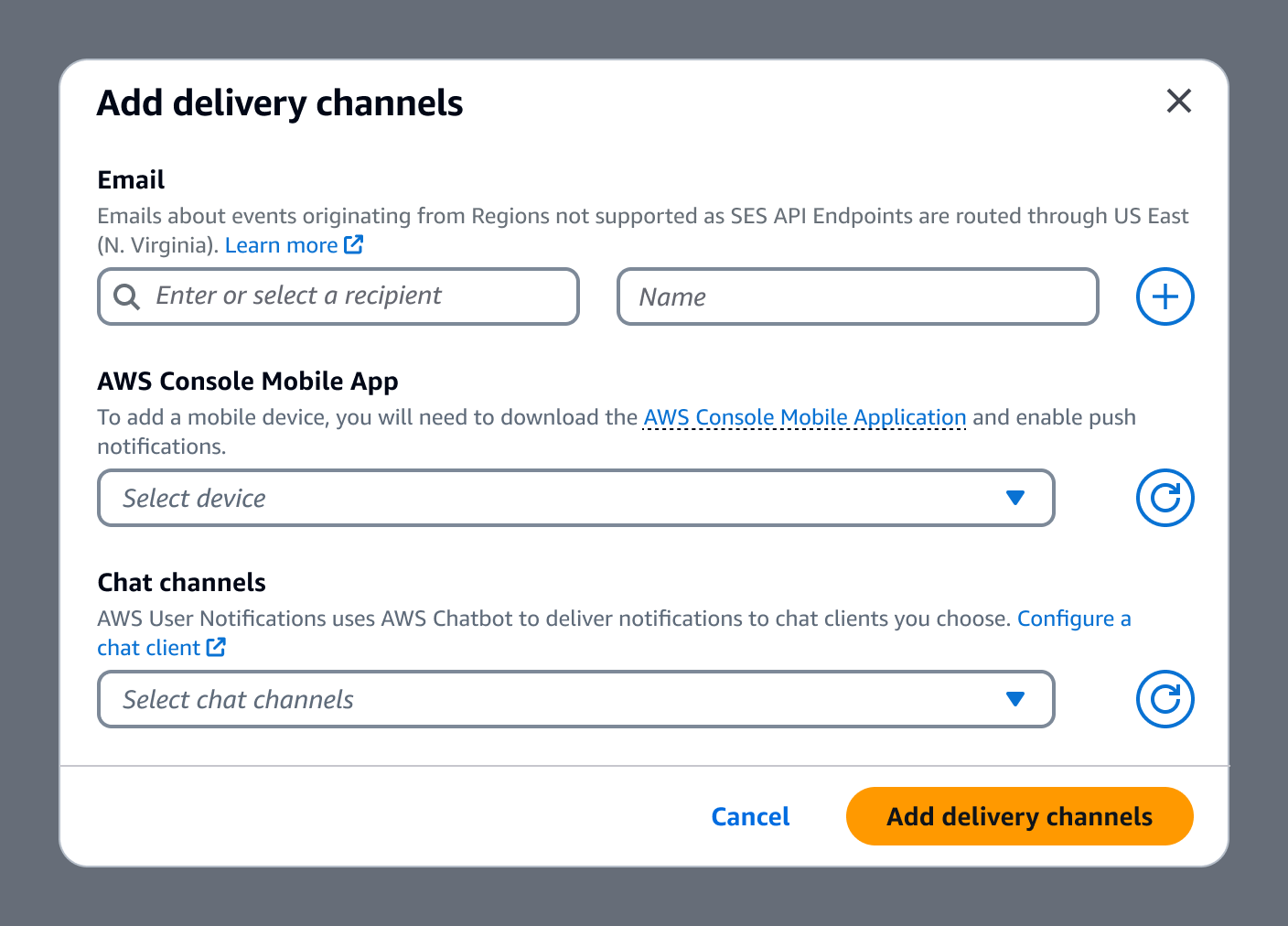
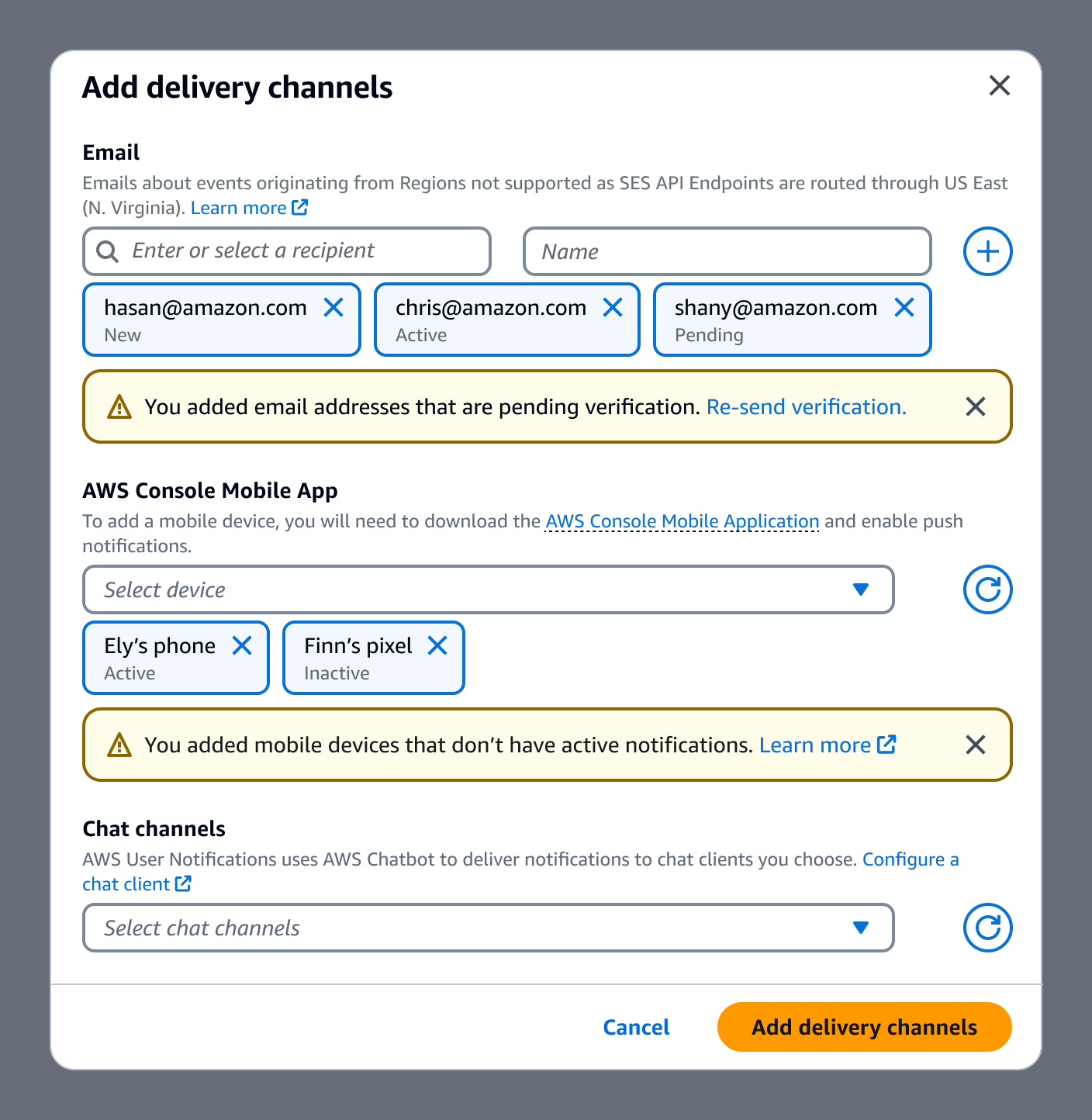
Another common challenge was delivering notifications to the correct individuals. We solved this by allowing customers to add delivery channels in the form of email addresses, mobile devices via the AWS mobile app, Slack, and Microsoft Teams. This allows customers to specify exactly where notifications will be sent.
Streamlining the Onboarding Process
Following the launch of AWS User Notifications, we analyzed user data to identify areas for rapid enhancement. Notably, we observed that three services generated a majority of the notifications.
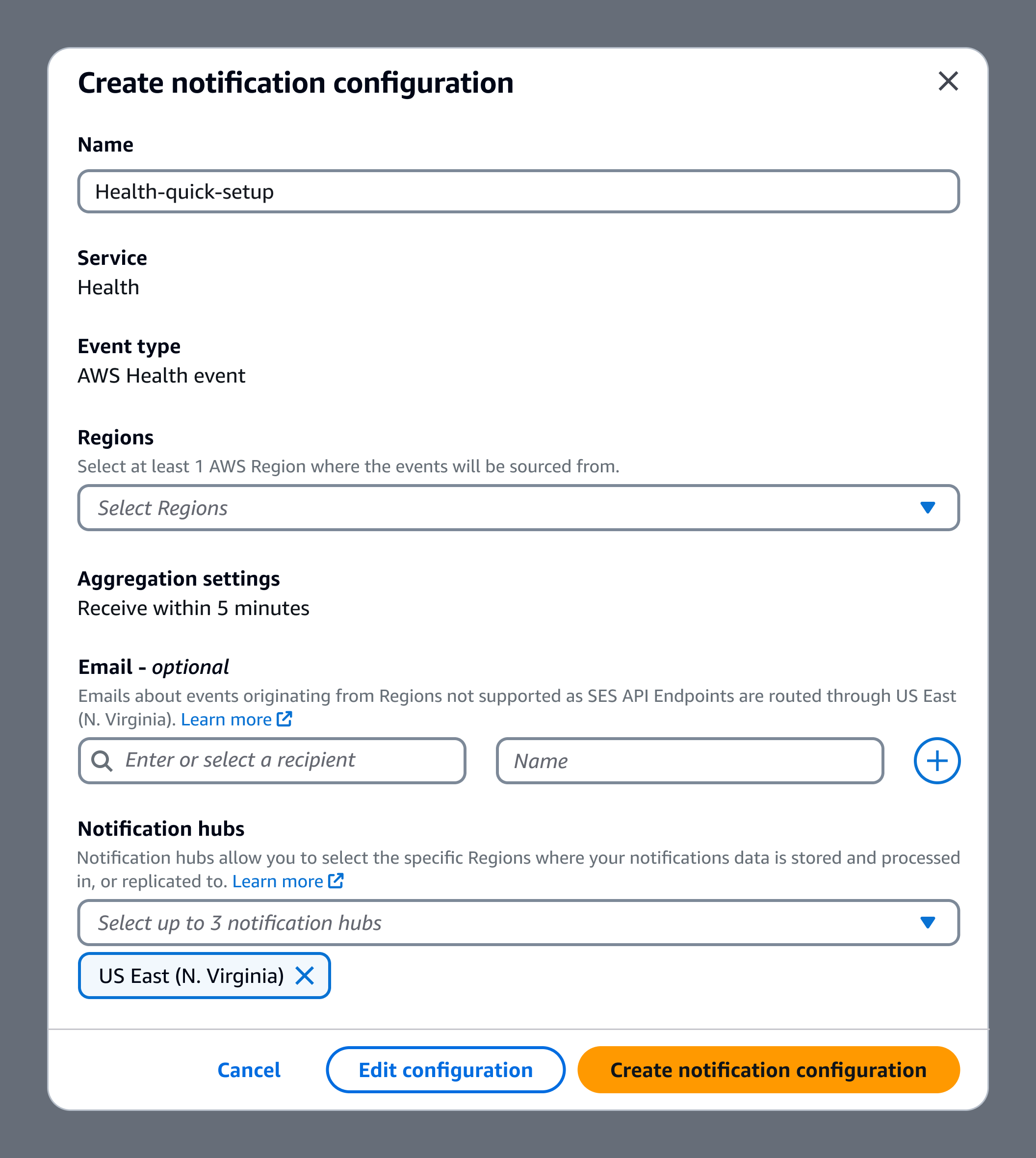
User testing revealed that customers expected notifications to work seamlessly without needing to create rules, indicating that complexity was a major friction point. This insight led us to develop a "quick setup" feature, balancing ease of use with customization by allowing users to select one of the three most commonly used service and complete a simplified form in a modal. Most options were preconfigured, reducing cognitive load and expediting the setup process.
User testing validated that this feature was easy to find and contained the right amount of data without taking too much control away from the customer.
Automatic Notifications
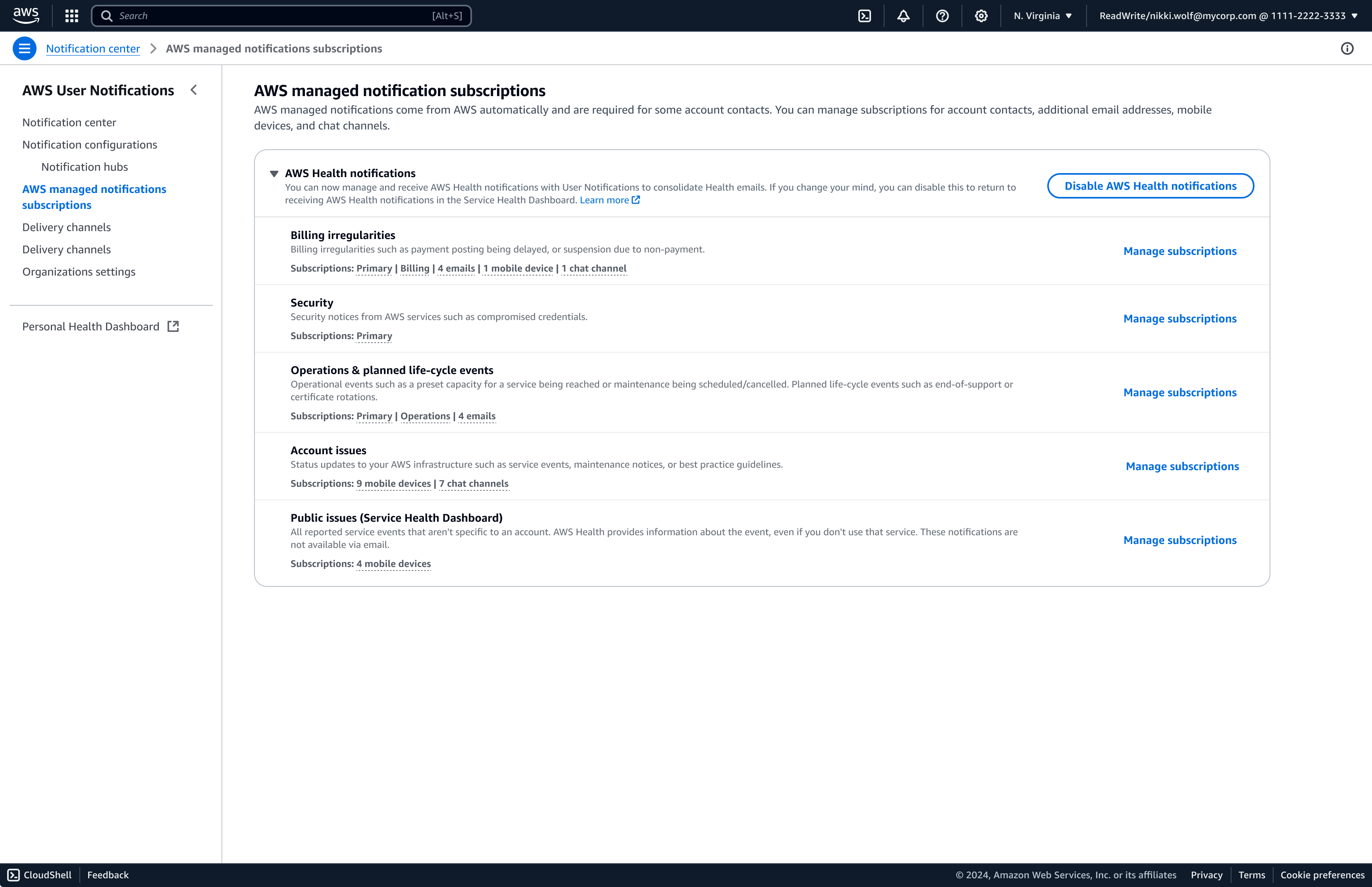
A major feature introduced post-launch was a new type of notification sent automatically to users, called AWS managed notifications. At launch, this feature was limited to a select number of AWS Health notifications and required tight collaboration between the AWS User Notifications team and the AWS Health teams.
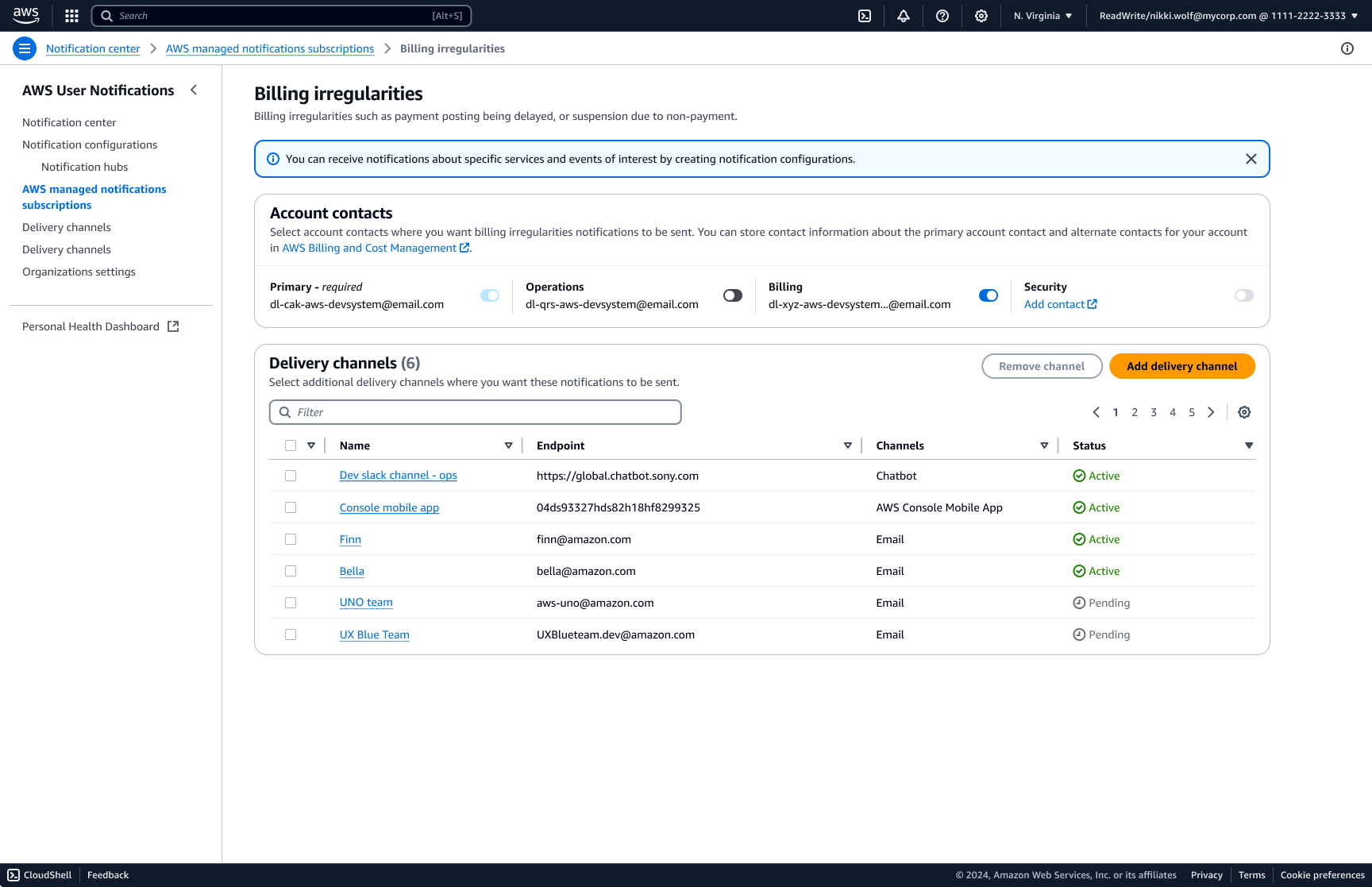
Customers can manage subscriptions for their primary account contacts (root, billing, security, and operations email addresses associated with the account) along with other delivery channels, ensuring relevant notifications reach the appropriate recipients.
To develop this feature, I collaborated with the AWS Health team through a hands-on workshop gathering customer insights, defining key use cases, refining notification categorization, and determining which primary accounts would receive specific notification types. This feature went through multiple rounds of user testing, with numerous iterations focused on refining categorization, improving discoverability, and ensuring users could easily modify subscription settings.
Results
AWS User Notifications transformed a fragmented and overwhelming system into a streamlined, user-driven experience. By combining deep user research with scalable design solutions, we empowered AWS customers to take control of their notifications reducing noise, improving awareness, and ultimately enhancing cloud management efficiency.
AWS User Notifications has redefined how customers manage alerts, eliminating unnecessary noise while ensuring they stay informed. With a strong foundation in place, this system is poised for future enhancements that will continue improving the AWS user experience.