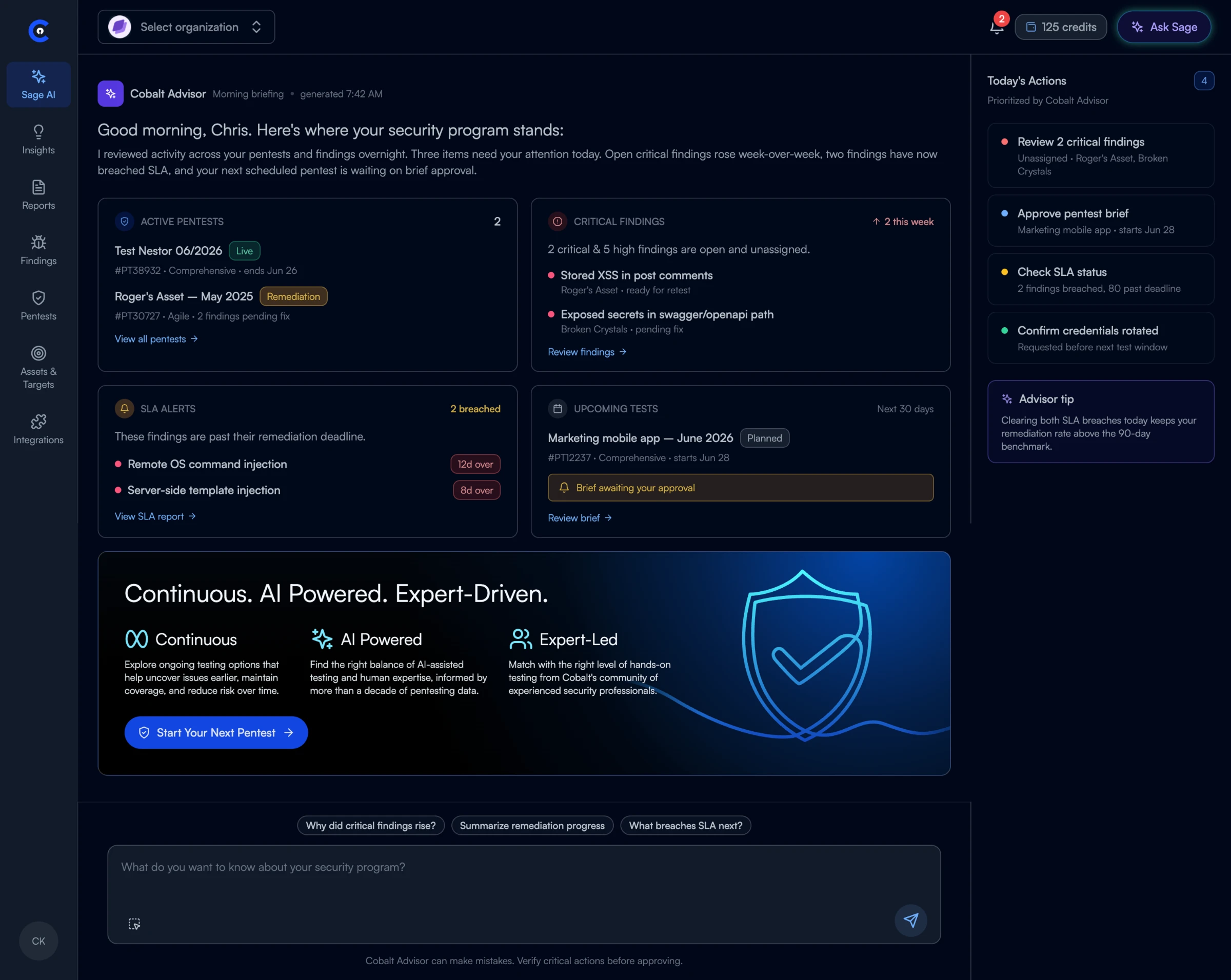
Overview
The Cobalt engineering team integrated AI as a development tool, rapidly accelerating their ability to deliver code, but the processes for design began to lag behind. The user experience of the Cobalt platform was also outdated, with a variety of issues that needed resolution at a speed that could keep pace with engineering.
To close that gap, I built an AI design workflow and put it to work on a platform redesign.
My role
I was the foundational hire following the dissolution of the previous UX team, brought on to integrate AI into the design process and lead new initiatives. As the team grew, I partnered with our new design manager to hire two contract designers, define our processes from scratch, build the AI workflow, and create a new design system. On the platform redesign, I was the lead and sole designer.
Where AI fell short
In late 2025, AI design tools were immature and changing monthly. Hallucinations were common, outputs were rarely at a deliverable quality, and a small prompt could quietly change an unrelated page. My early experiments with Figma Make and Google AI Studio proved them useful for sketching and brainstorming, but they lacked any form of design system integration, which meant that their prototypes never looked like the Cobalt platform and had to be rebuilt manually in Figma.
The design system problem
AI could generate screens quickly, but not our screens. Without access to Cobalt’s components and tokens, every output had to be rebuilt by hand, erasing the speed AI was supposed to deliver.
The first tool we found that claimed to integrate with your design system was Builder.io, which promised to “connect code components, tokens, and Figma libraries directly to AI generation.” In practice, it never nailed our design system. Output was consistently buggy and visually off, and after a couple of months of weekly calls with the Builder team, we moved on.
We then found Subframe, a tool that included a designer-friendly canvas with the design system built in. Everything in Subframe is code, so when designs are changed, the code is updated automatically, removing the traditional handoff of updating components separately in a repository like Storybook. This allows designers to truly own the design system.
Our experiments proved that Subframe delivered. AI outputs matched our intended look and feel, the canvas let me refine individual screens with Figma-level precision, and engineers picked up designs with foundational code ready to go.
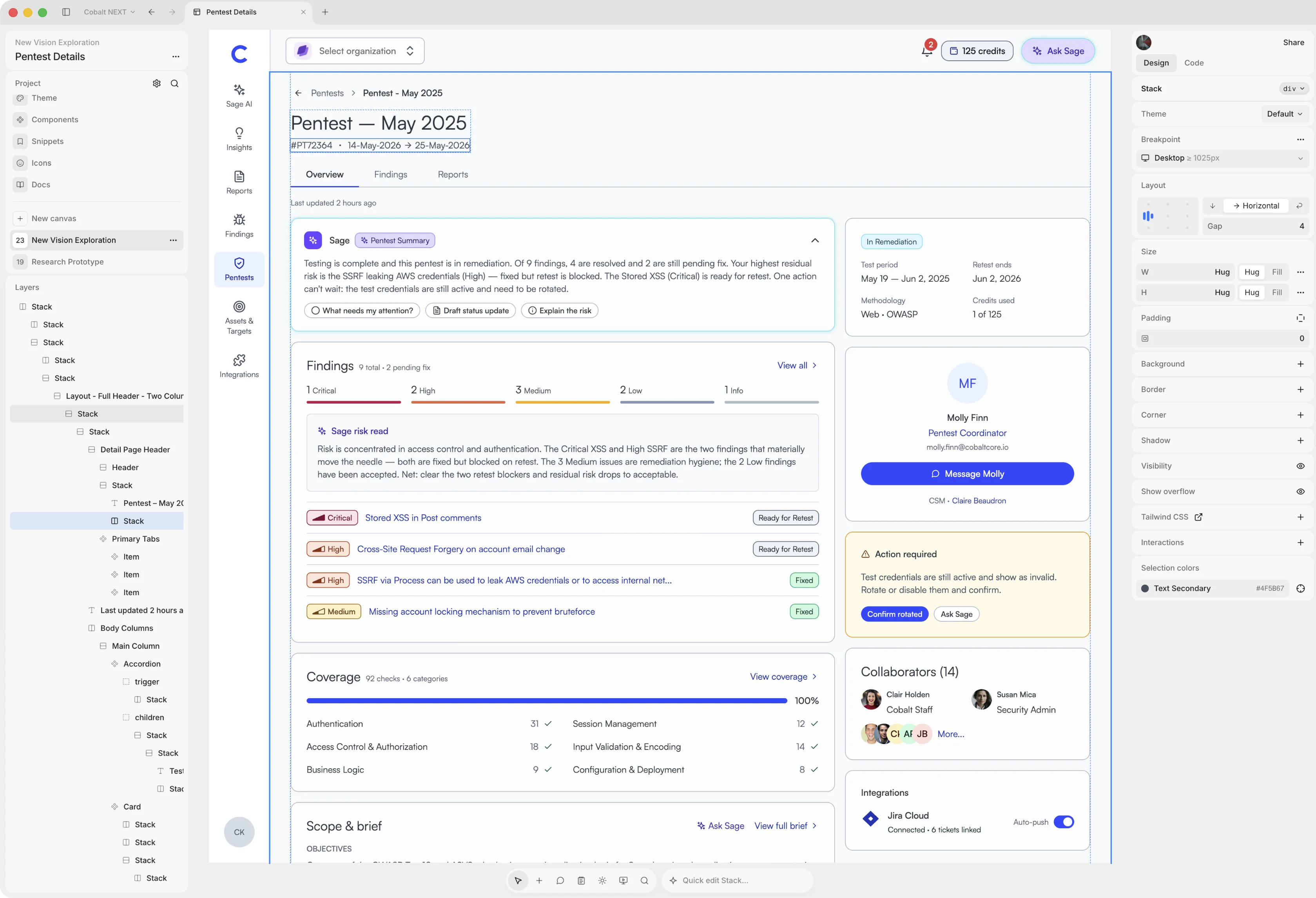
Proof of concept
To test and validate this new approach, we ran a proof of concept on a mock feature scoped to a handful of pages, intentionally constrained to determine if this process would work.
My manager and I collaborated on a quick design and then sent our Subframe output over to an engineer, who had a working version built within two days. We made updates to the code in Subframe and pushed them while our engineer made tweaks to the designs. It changed the whole process from a back and forth game of telephone into a collaborative one where we could help each other out.
While this work was taking place, the design team built a new design system inside of Subframe, since the existing one was as outdated as the platform itself. We started from Subframe’s foundational React component library and restyled it in new brand colors. We designed the core components together, then each added new components as our work required them.
Redesigning the platform
With a successful POC and a new design system established, I began a comprehensive redesign of the Cobalt platform in this new design system.
I started with a UX audit of the existing product, reviewing every page for patterns that would raise cognitive load, erode trust, or slow customers down, then paired it with site usage metrics and customer feedback. Four core themes emerged from this work:
These four themes set the direction for the redesign and every new screen was measured against them.
With the audit complete, I entered the brainstorming phase of the redesign and this was where I hit my next speedbump. Subframe’s single-screenshot limit made it the wrong tool for early, wide-ranging brainstorming, so I moved into Claude Design, which was newly released at the time.
Claude Design allows for much larger context windows consisting of multiple images and documents. I took screenshots of the entire Cobalt platform and loaded them into Claude Design while describing the project in detail. I then added competitor and inspirational screenshots from a wide variety of products to build context and expand the explorations.
I iteratively prompted and created screens within Claude Design to get a general sense of how I wanted the product to look and feel. For example, I knew I wanted to drastically reduce the navigation, so I designed a new sitemap and information architecture before sending it to Claude and outputting a clean web-app navigation pattern.
With the rough prototype from Claude Design, I took each screen and brought them in to Subframe, where I was able to prompt specific changes and make manual adjustments rather than simply delivering stock AI output.
Where design judgment comes in
Designing with AI means critiquing every iteration the way you’d critique another designer’s work, pushing it further rather than accepting it as-is.
Some fixes were corrections. The AI regularly broke design system rules, placing multiple primary buttons on one page or packing several data sets into a single column. I caught these as they appeared, restoring a single primary action and separating data so it could be read and sorted.
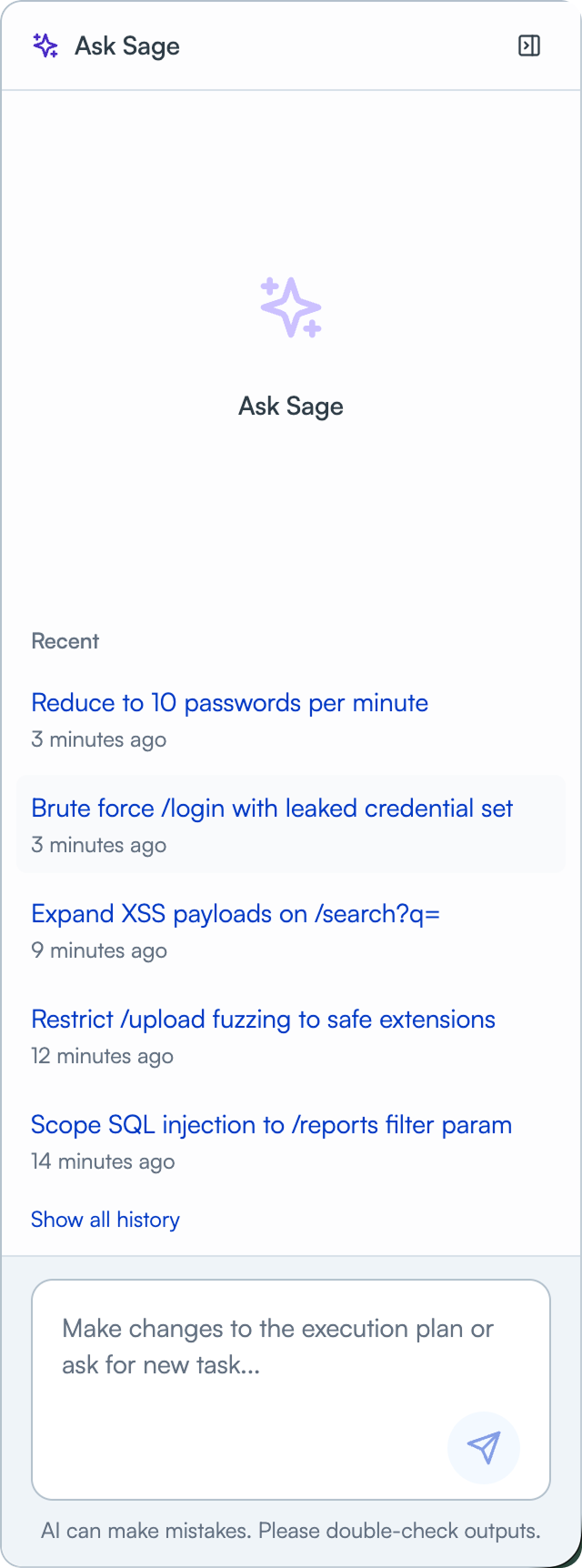
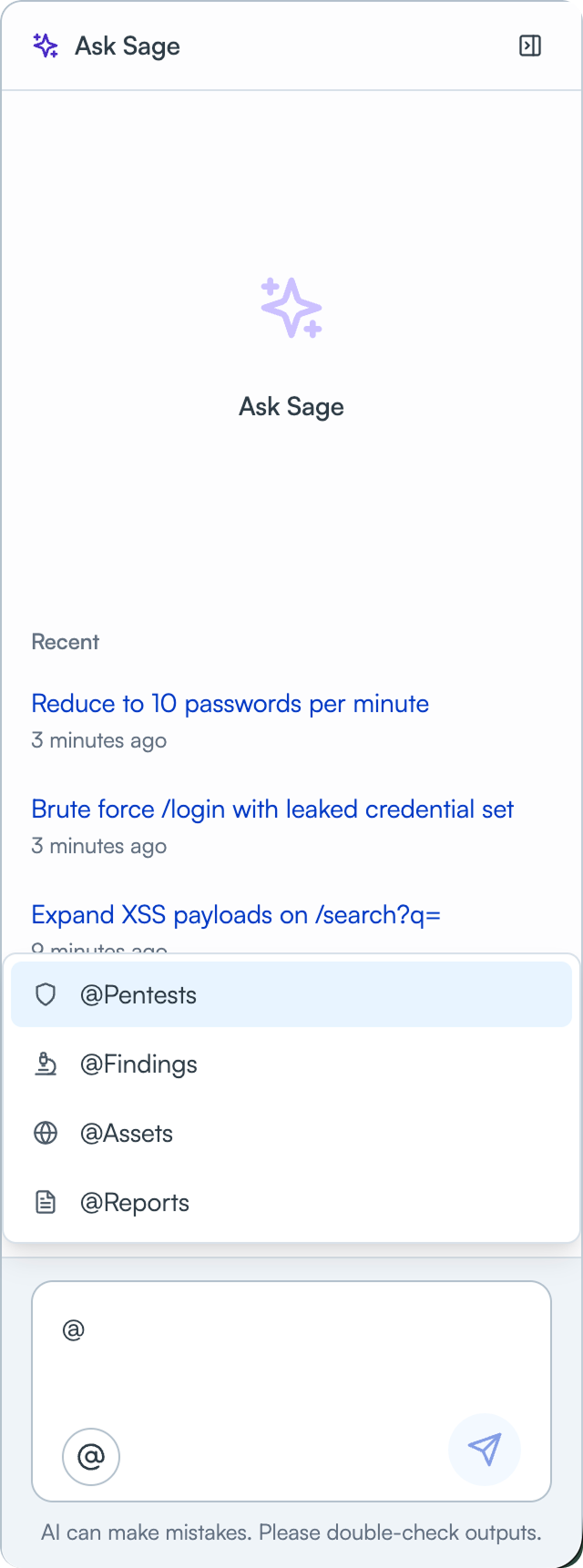
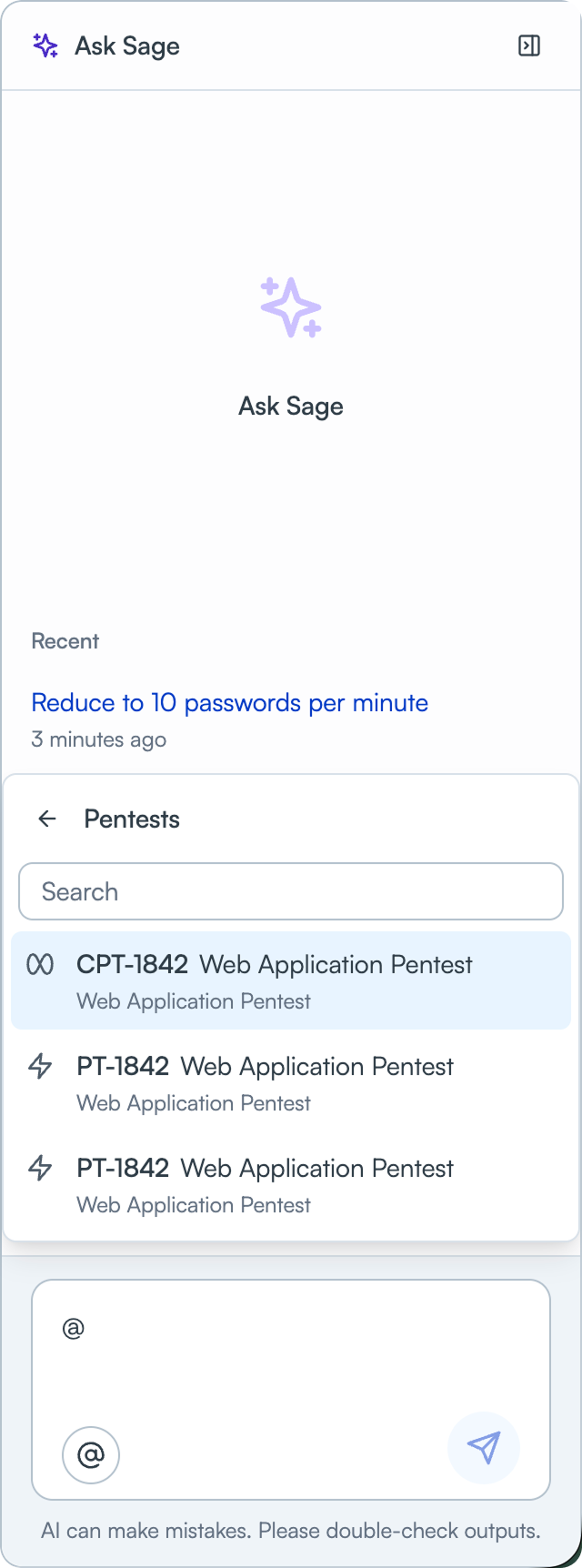
Others were improvements. The AI’s first chat interface was functional but limited to plain text. I added a tagging system where users click a button or type “@” to select pentests, findings, assets, or reports, scoping the context for specific prompts.
The result
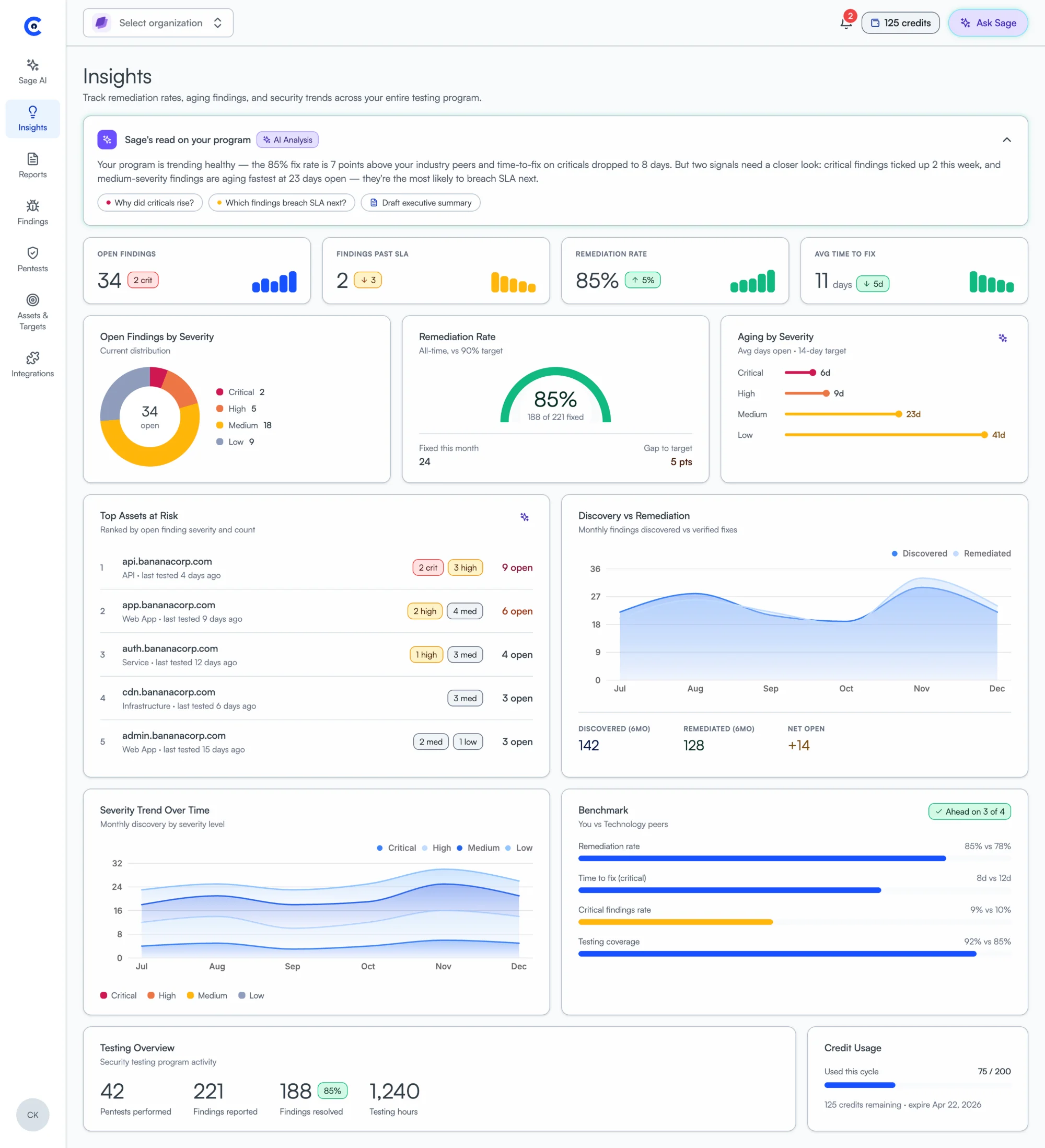
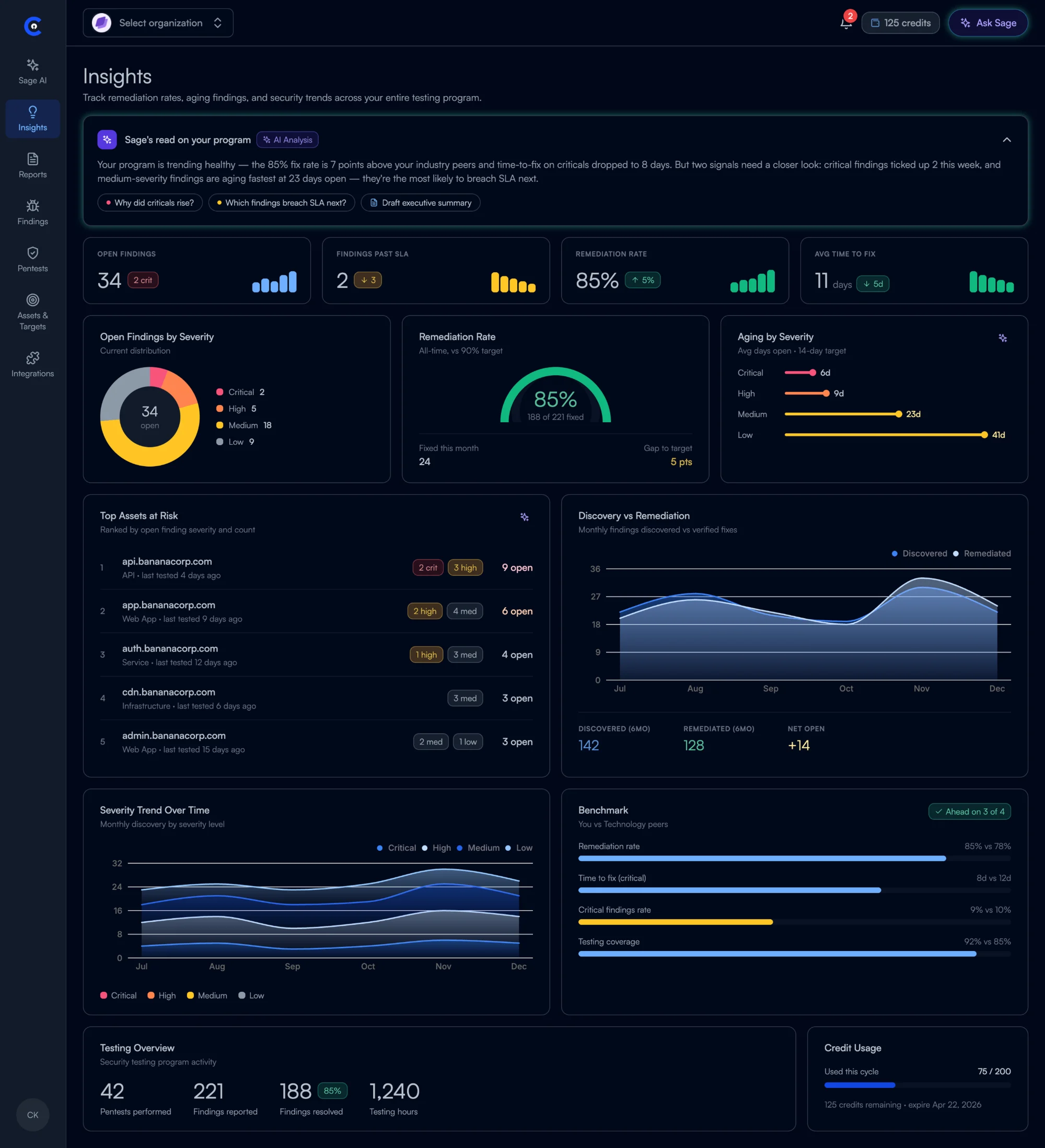
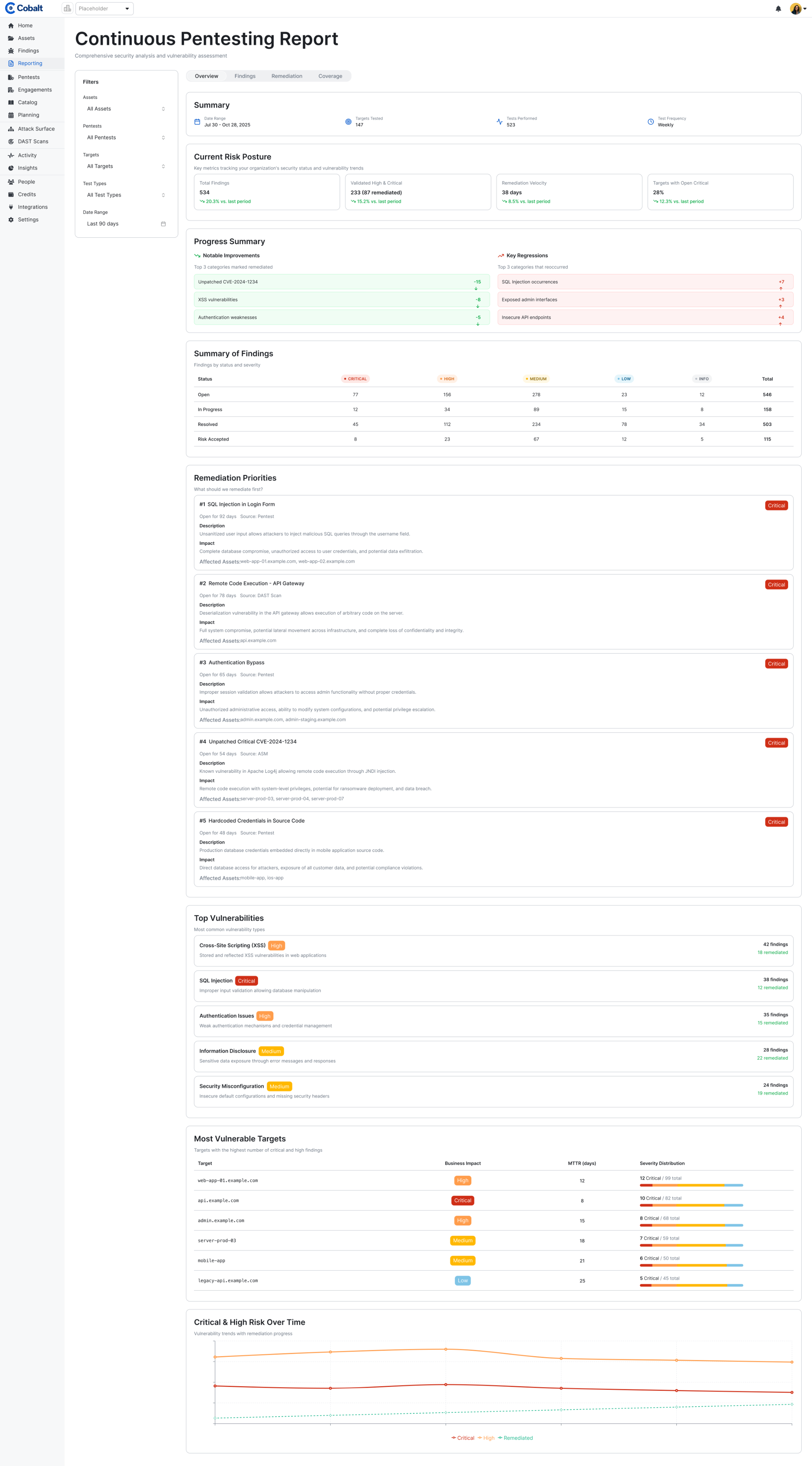
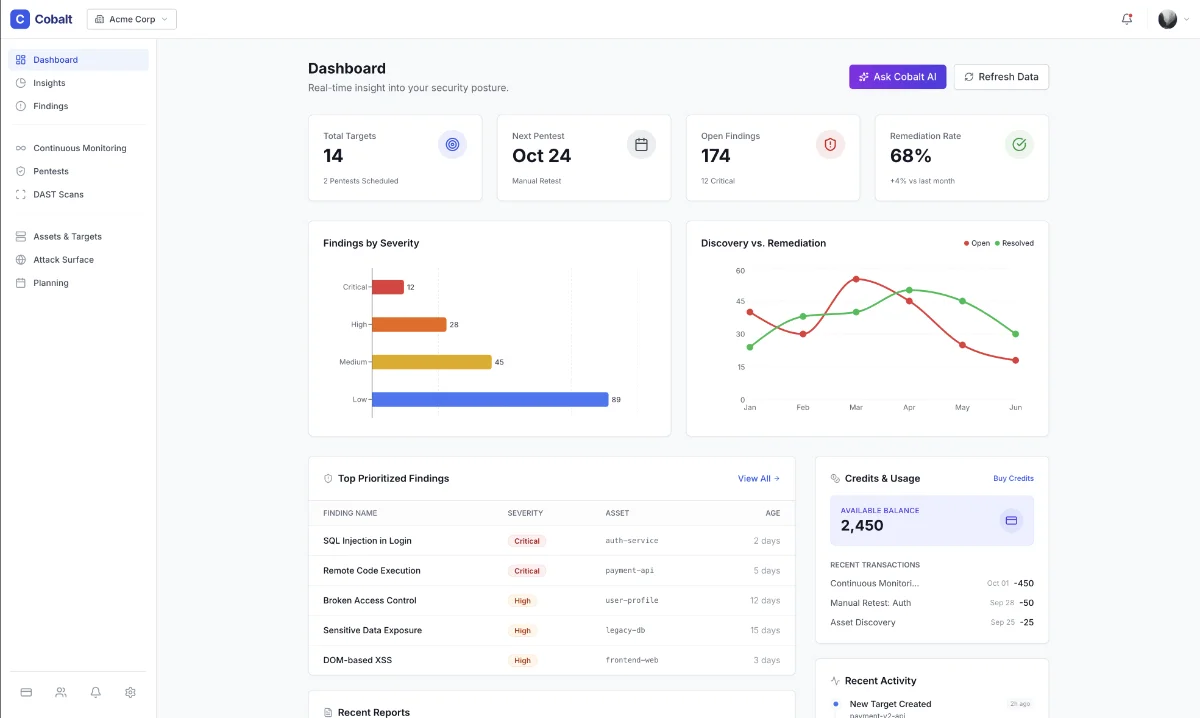
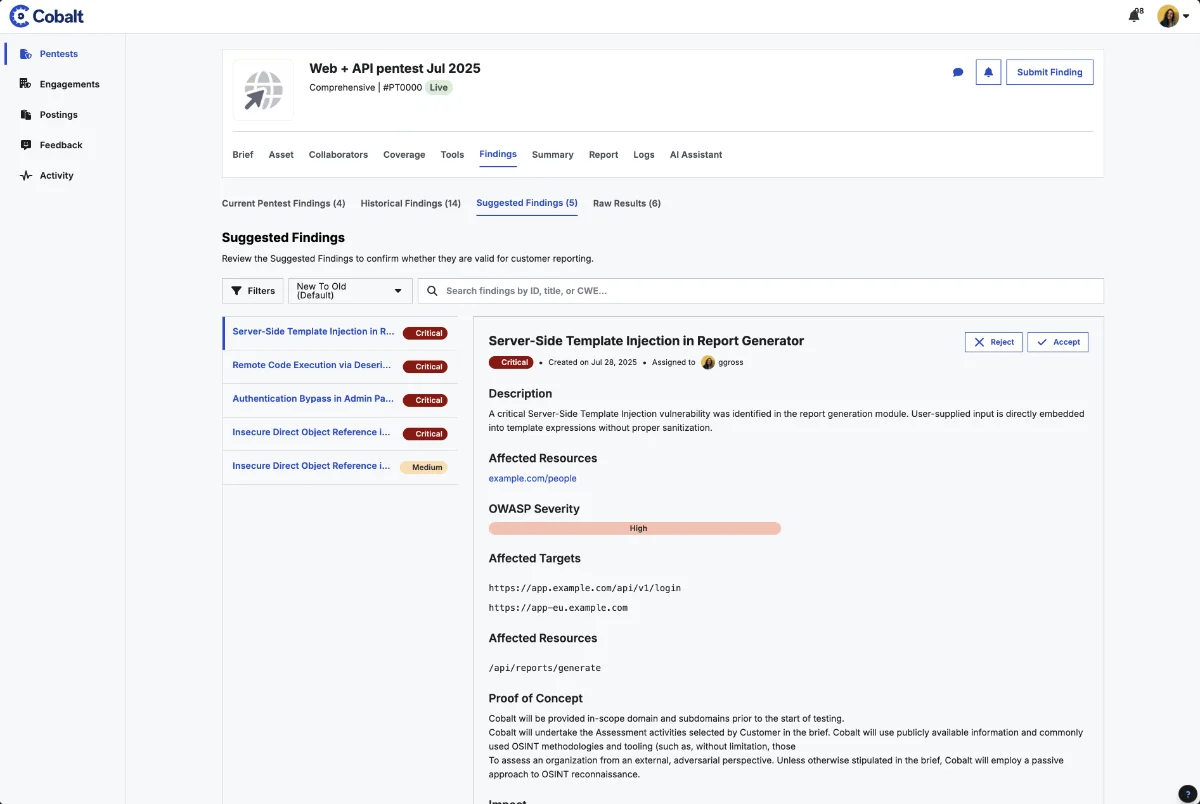
Using the new AI workflow, I delivered a full redesign covering every page of the Cobalt platform. Leadership, engineering, and customer-facing teams are all excited about the new direction, and the redesign is now in active development.
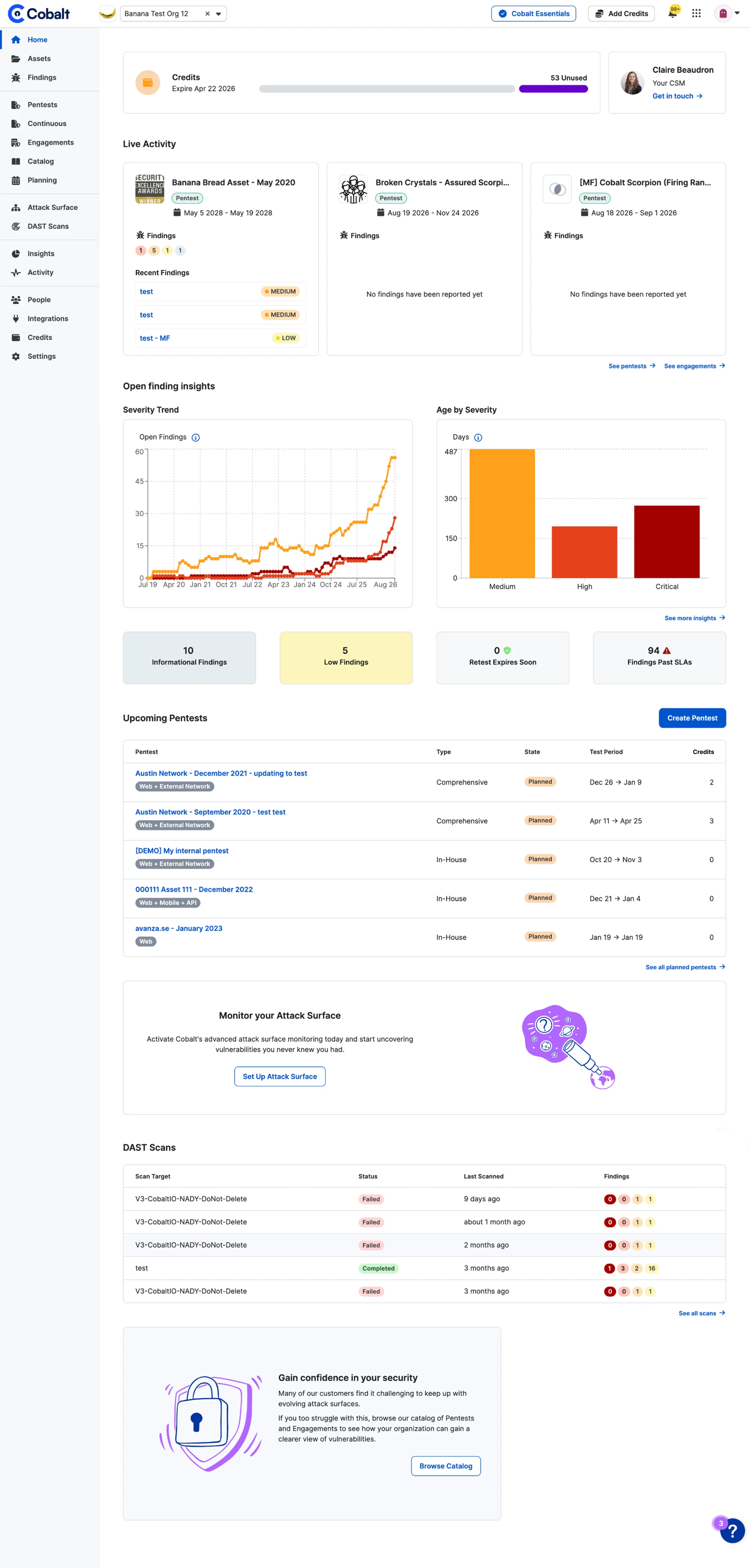
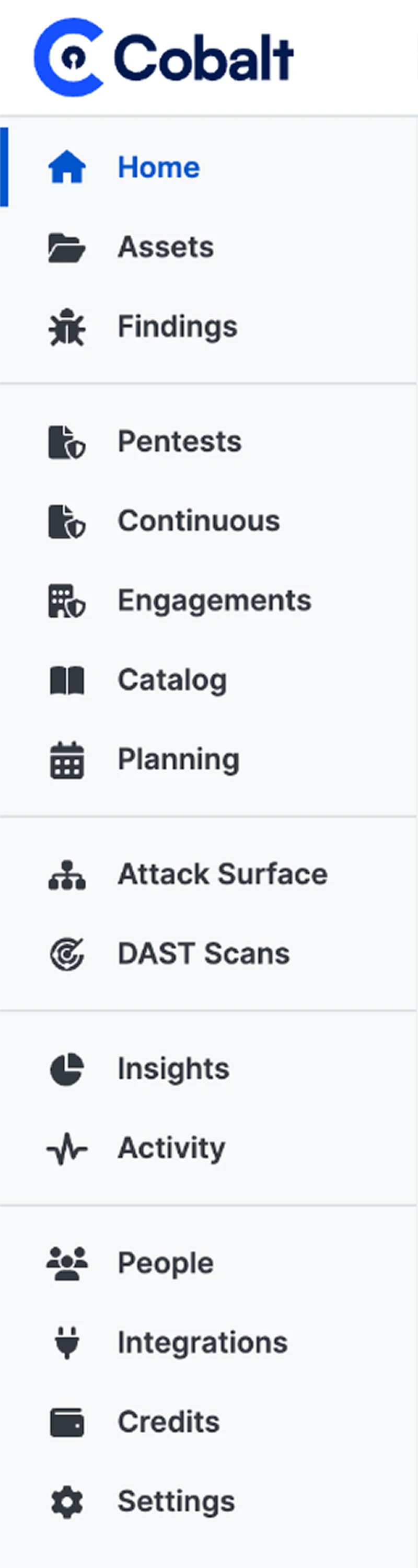 Before
 After
After